Essential Cybersecurity Tips Every Internet User Should Know
Published: February 15, 2026 | Author: Tech Team | Category: Security | Read time: 34 minutes
A practical, detailed cybersecurity guide for everyday internet users, covering account safety, device protection, phishing defense, scam prevention, backups, and incident response.
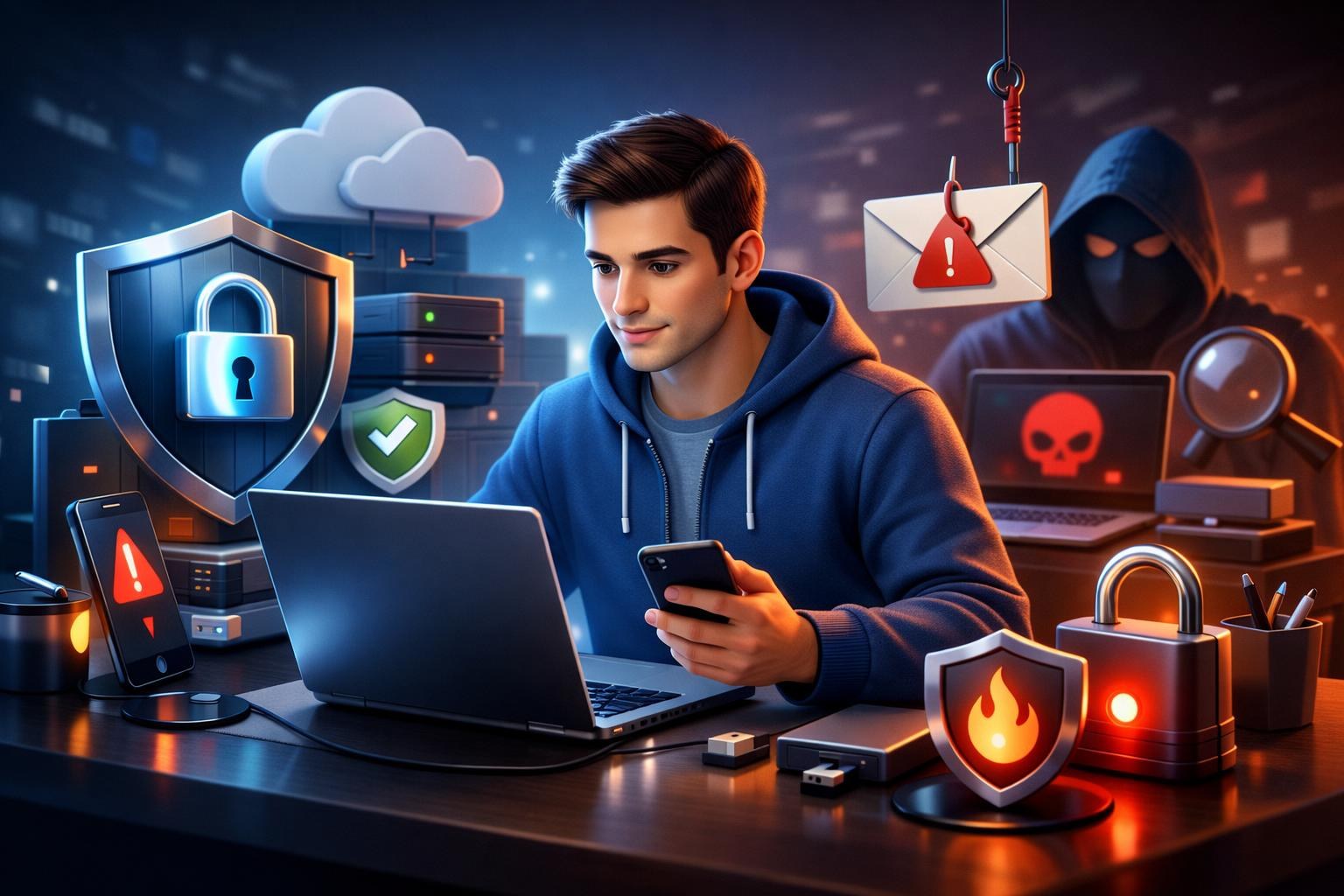
Cybersecurity is no longer a topic only for IT teams. Every internet user now depends on digital services for communication, banking, work, shopping, healthcare access, and identity verification. This means personal cybersecurity is now part of everyday life, just like locking your home or carrying identity documents safely.
The challenge is that online threats have become more sophisticated. Attackers do not only target large corporations. They target ordinary people through phishing emails, fake support calls, malicious links, weak passwords, infected downloads, and social engineering scams. Most breaches happen because of small, preventable mistakes, not advanced zero-day attacks.
This guide gives you a complete practical framework to protect your devices, accounts, and personal data in 2026 and beyond.
Understand the Most Common Threats First
Security improves when you can recognize threat patterns. The most common risks for everyday users include:
- Phishing: fake messages designed to steal passwords, OTP codes, or payment data.
- Credential stuffing: attackers reuse leaked passwords across multiple websites.
- Malware: malicious files or applications that steal data or damage systems.
- Ransomware: malware that encrypts files and demands payment.
- Account takeover: unauthorized access to email, banking, or social accounts.
- SIM swap fraud: attackers hijack phone numbers to intercept SMS codes.
When you know the attack types, security advice becomes practical rather than abstract.
1) Build Strong Password Hygiene
Password mistakes remain one of the largest security weaknesses. If one reused password leaks from a breached service, attackers can test it across other accounts automatically.
Use a Password Manager
A password manager helps you create and store unique passwords for each account. This is the single highest-impact security improvement for most users.
Create Long, Unique Passwords
Use long passwords or passphrases generated by your manager. Avoid names, birthdays, repeated patterns, and dictionary words.
Protect Your Primary Email Most Aggressively
Your email account is often the recovery path for other services. If attackers control your email, they can reset many of your other accounts.
Review Old Accounts
Delete or secure inactive accounts. Forgotten accounts often have weak credentials and can become entry points for attackers.
2) Enable Two-Factor Authentication Everywhere
Two-factor authentication (2FA) adds a second layer after password entry. Even if a password is compromised, 2FA can block unauthorized logins.
Preferred 2FA Methods
- Authenticator app codes
- Hardware security keys for critical accounts
- SMS only when stronger options are unavailable
Start by enabling 2FA on:
- Email accounts
- Banking and payments
- Cloud storage
- Social media platforms
- Developer and work tools
Also store backup recovery codes securely in case your phone is lost.
3) Keep Devices and Software Updated
Updates are often ignored because they interrupt workflow, but they are essential security maintenance. Many attacks exploit known vulnerabilities that already have published patches.
What To Update Regularly
- Operating systems (mobile and desktop)
- Browsers and browser extensions
- Messaging and productivity apps
- Router firmware
- Antivirus and endpoint protection tools
Enable automatic updates where possible, especially for internet-facing software.
4) Protect Your Devices from Malware
Malware infections often start with unsafe downloads, cracked software, malicious email attachments, or fake update prompts.
Practical Malware Defense
- Install apps only from official stores or verified vendor sources.
- Do not run unknown attachments or executable files from untrusted messages.
- Avoid pirated software and unauthorized activation tools.
- Use reputable security software for real-time scanning.
- Disable macro execution in office documents unless required and trusted.
If a device suddenly slows down, crashes unexpectedly, or shows unusual network activity, investigate quickly.
5) Learn To Identify Phishing Quickly
Phishing is effective because it imitates trusted brands and triggers urgency. Attackers want you to act before thinking clearly.
Common Phishing Signals
- Urgent warnings such as account suspension or payment failure.
- Requests for passwords, OTPs, or remote access.
- Sender addresses that look similar but not identical to official domains.
- Poor grammar, unusual formatting, or inconsistent branding.
- Links that point to suspicious or misspelled domains.
Safe Response Rule
Never click directly from suspicious messages. Open the official website manually and verify account status there.
6) Secure Your Home and Public Network Usage
Home Network Security
- Change default router admin username and password.
- Use WPA2 or WPA3 Wi-Fi encryption.
- Update router firmware periodically.
- Disable remote administration unless required.
- Create a separate guest network for visitors and IoT devices.
Public Wi-Fi Safety
Public Wi-Fi networks can be risky if you handle sensitive tasks without protection.
- Use a trusted VPN when on public hotspots.
- Avoid financial transactions on untrusted networks.
- Turn off auto-connect to open Wi-Fi networks.
- Disable file sharing when outside trusted networks.
7) Protect Personal Data and Privacy
Cybersecurity and privacy are deeply connected. The more personal data you expose publicly, the easier social engineering becomes.
Privacy-Security Best Practices
- Review social media privacy settings regularly.
- Avoid posting sensitive details such as full address, travel plans, and identity documents.
- Use temporary email addresses for low-trust signups and one-time downloads.
- Check app permissions and remove unnecessary access to contacts, location, microphone, and camera.
- Limit third-party app integrations in major accounts.
Less exposed data means fewer opportunities for impersonation and targeted attacks.
8) Build Safe Financial Habits Online
Financial fraud is one of the most damaging outcomes of weak cybersecurity. Use layered protection for online payments and banking.
- Enable transaction alerts for bank and card activity.
- Use virtual cards or one-time payment methods when available.
- Verify merchant authenticity before payment.
- Never share OTP codes with anyone, including people claiming to be support agents.
- Review statements and dispute suspicious transactions quickly.
If a deal seems unusually urgent or too good to be true, pause and verify independently.
9) Secure Social Media and Messaging Accounts
Compromised social accounts can be used for fraud, impersonation, and malware distribution through trusted contact networks.
Account Protection Checklist
- Use unique passwords and 2FA.
- Review active sessions and log out unknown devices.
- Disable or limit API app access.
- Restrict who can message or tag you publicly.
- Be cautious with link previews and file attachments in chats.
For business accounts, assign role-based access and avoid shared login credentials.
10) Back Up Data Before You Need It
Backups are your strongest defense against ransomware, hardware failure, and accidental deletion. Recovery without backup can be impossible or very expensive.
The 3-2-1 Rule
- Keep at least three copies of critical data.
- Store copies on two different media types.
- Keep one copy offline or offsite.
Test backup restoration periodically. A backup you cannot restore is not a real backup.
11) Protect Family Members and Shared Devices
Household security is only as strong as the least protected device or user. Children and less technical users are frequently targeted by scam links, fake rewards, and social engineering traps.
- Create separate user profiles for family members.
- Use parental controls where appropriate.
- Teach simple verification habits before clicking links.
- Disable admin privileges for daily-use accounts.
- Set screen lock and device encryption on all shared devices.
Security education at home is one of the highest-value prevention measures.
12) Recognize and Handle Online Scams
Scammers adapt quickly. Common scam patterns in 2026 include fake job offers, investment fraud, parcel delivery scams, fake tech support calls, and impersonated authority messages.
Scam Defense Rules
- Do not send money or gift cards under pressure.
- Verify identities through independent channels.
- Never install remote-control software at a stranger's request.
- Pause before acting on urgency-driven messages.
- Report scams to relevant platforms and authorities.
Scammers rely on emotional pressure. Delaying your response is often enough to avoid damage.
13) Create a Personal Incident Response Plan
If an account is compromised, speed matters. Prepare a response checklist before incidents happen.
Immediate Steps After Suspected Breach
- Change passwords on affected and related accounts.
- Log out all active sessions.
- Enable or reset 2FA.
- Check account recovery settings for tampering.
- Review recent transactions and messages.
- Notify contacts if impersonation occurred.
- Scan devices for malware.
For financial accounts, contact the provider immediately and request temporary protective controls if needed.
14) Cybersecurity for Remote Work Users
Remote and hybrid workers should treat home setups with enterprise-level discipline, especially when handling client data or sensitive internal systems.
- Use separate work and personal accounts.
- Prefer company-managed devices for sensitive tasks.
- Use VPN and endpoint protection as required by policy.
- Lock screens when away from desk.
- Avoid copying sensitive files to personal cloud storage.
Work-from-home convenience must not become a security blind spot.
15) Daily, Weekly, and Monthly Security Routine
Daily
- Watch for unusual login notifications.
- Treat unexpected links and attachments with caution.
- Lock devices when unattended.
Weekly
- Review major account activity.
- Check pending software updates.
- Clean suspicious emails and messages.
Monthly
- Audit password manager entries and remove weak or duplicate credentials.
- Review app permissions and connected third-party apps.
- Verify backups and run restoration test for critical files.
Security is not one setting. It is a maintenance habit.
16) Device Hardening by Platform: Practical Baselines
Many users improve account security but leave device-level protections weak. Because devices are your primary access point, hardening them is essential.
Windows and macOS Baseline
- Enable full-disk encryption so stolen devices do not expose raw files.
- Use screen lock with short timeout and strong login credentials.
- Disable automatic execution of downloaded files.
- Restrict administrative privileges for everyday browsing accounts.
- Review startup programs and remove unknown entries.
Android and iOS Baseline
- Use biometric lock plus strong PIN fallback.
- Disable app installs from unknown sources.
- Review app permissions after every major update.
- Turn on device encryption and remote wipe options.
- Keep Bluetooth and location sharing off when not needed.
Hardening is not about paranoia. It is about reducing easy attacker paths.
17) Email Security Deep Dive
Email remains a primary attack surface because it is connected to account recovery, identity verification, and financial communication. Protecting email deserves extra attention.
Primary Inbox Strategy
- Use one dedicated primary inbox for critical accounts only.
- Do not use the same inbox for random newsletters and one-time registrations.
- Enable strong spam and phishing filtering settings.
- Set trusted recovery contacts and keep them current.
Safe Email Workflow
- Open suspicious emails in preview mode first.
- Check sender domain carefully before clicking.
- Avoid downloading unexpected attachments.
- Use temporary email addresses for low-trust websites to protect your primary inbox from long-term exposure.
Think of your email account as your digital passport. Protect it with the same seriousness.
18) Social Engineering: The Human Layer of Cybersecurity
Attackers often bypass technical controls by manipulating people directly. This is called social engineering, and it appears in phone calls, chats, fake support tickets, and impersonated contacts.
Common Tactics
- Authority pressure: pretending to be bank, police, or employer support.
- Urgency pressure: "act now or your account is blocked."
- Trust hijack: pretending to be friend, coworker, or family member.
- Reward lure: fake prizes, refunds, or investment shortcuts.
Defense Mindset
Pause. Verify identity through a separate channel. Never share OTP or password data over phone or chat. Legitimate organizations do not need your one-time codes to "help" you.
The most secure users are not the fastest responders. They are the best verifiers.
19) Security for Freelancers, Creators, and Small Businesses
Freelancers and small business owners often operate without dedicated security teams, which makes process discipline even more important.
Operational Controls
- Separate personal and business accounts for email, banking, and cloud storage.
- Use business password vaults instead of shared text files.
- Grant least-privilege access to contractors and revoke it immediately after projects end.
- Use secure invoicing systems and verify payment details before transfers.
- Back up client files with version history and secure retention policies.
Small teams can still achieve strong cybersecurity by standardizing a few high-value practices and enforcing them consistently.
20) Annual Personal Security Audit Checklist
In addition to daily and monthly habits, run a full annual review. This helps catch long-term drift and forgotten risks.
Annual Audit Steps
- Review all major account passwords and remove weak or reused credentials.
- Check 2FA status for all critical accounts and update recovery options.
- Audit connected applications and revoke unnecessary integrations.
- Review old devices and remove account sessions from unused hardware.
- Verify backup integrity with full restore test on critical data.
- Update emergency response contacts and incident plan.
- Review social media privacy exposure and old public posts.
This annual reset creates confidence that your baseline security has not silently degraded over time.
21) What To Do in the First 60 Minutes After a Suspected Attack
During incidents, people often panic and make rushed decisions. A clear first-hour plan reduces damage.
First 15 Minutes
- Disconnect compromised device from network if malware is suspected.
- Change passwords for the affected account from a known-safe device.
- Enable forced logout across active sessions.
Next 30 Minutes
- Check account recovery settings and remove unknown entries.
- Review transaction and login history.
- Notify financial institutions if payment data may be exposed.
Final 15 Minutes of Initial Response
- Warn close contacts if impersonation messages may be sent.
- Run anti-malware scanning on affected devices.
- Document key timestamps and suspicious indicators for follow-up.
Speed and structure in the first hour can determine whether an incident remains minor or becomes severe.
22) Personal Cybersecurity Quick Action Card
If you prefer a simple checklist, keep this action card in mind for daily decisions:
- Stop: pause before clicking unknown links.
- Check: verify sender, domain, and context.
- Protect: use password manager and 2FA everywhere.
- Update: patch devices and apps regularly.
- Backup: maintain tested backups of important data.
- Report: flag suspicious messages and fraud attempts quickly.
Cybersecurity is easier when converted into repeatable habits. A short checklist reduces decision fatigue and helps you respond correctly under pressure.
Frequently Asked Questions
Do I still need antivirus if I browse carefully?
Yes. Careful behavior helps, but antivirus and endpoint protection provide additional detection for malicious files and known exploit behavior. Security works best in layers. Human caution and technical controls should complement each other.
Is SMS two-factor authentication good enough?
SMS is better than no 2FA, but authenticator apps or hardware keys are generally stronger. If SMS is your only option, still enable it and monitor account activity closely.
How often should I change passwords?
There is no need for arbitrary frequent password changes if your passwords are long, unique, and protected with 2FA. Change immediately after any suspected breach or exposure.
Are public Wi-Fi networks always unsafe?
Not always, but they are less predictable than trusted home or office networks. Use VPN on public networks and avoid high-risk activities unless absolutely necessary.
What is the fastest security improvement for beginners?
Set up a password manager and enable 2FA on your primary email and financial accounts. This combination blocks a large percentage of common account takeover attacks.
Should I pay ransom if files are encrypted?
There is no guarantee criminals will restore your data after payment. The safer strategy is prevention through backup discipline and security controls. If you are impacted, involve trusted security professionals and relevant authorities.
Conclusion
Essential cybersecurity is not about mastering advanced hacking concepts. It is about reducing avoidable risk through disciplined daily habits: strong passwords, two-factor authentication, updated devices, phishing awareness, secure network usage, and reliable backups.
Attackers look for easy targets. You do not need to be perfect to stay safer; you need to be consistent. Start with the highest-impact controls today, review your digital habits regularly, and treat cybersecurity as a normal part of modern life.